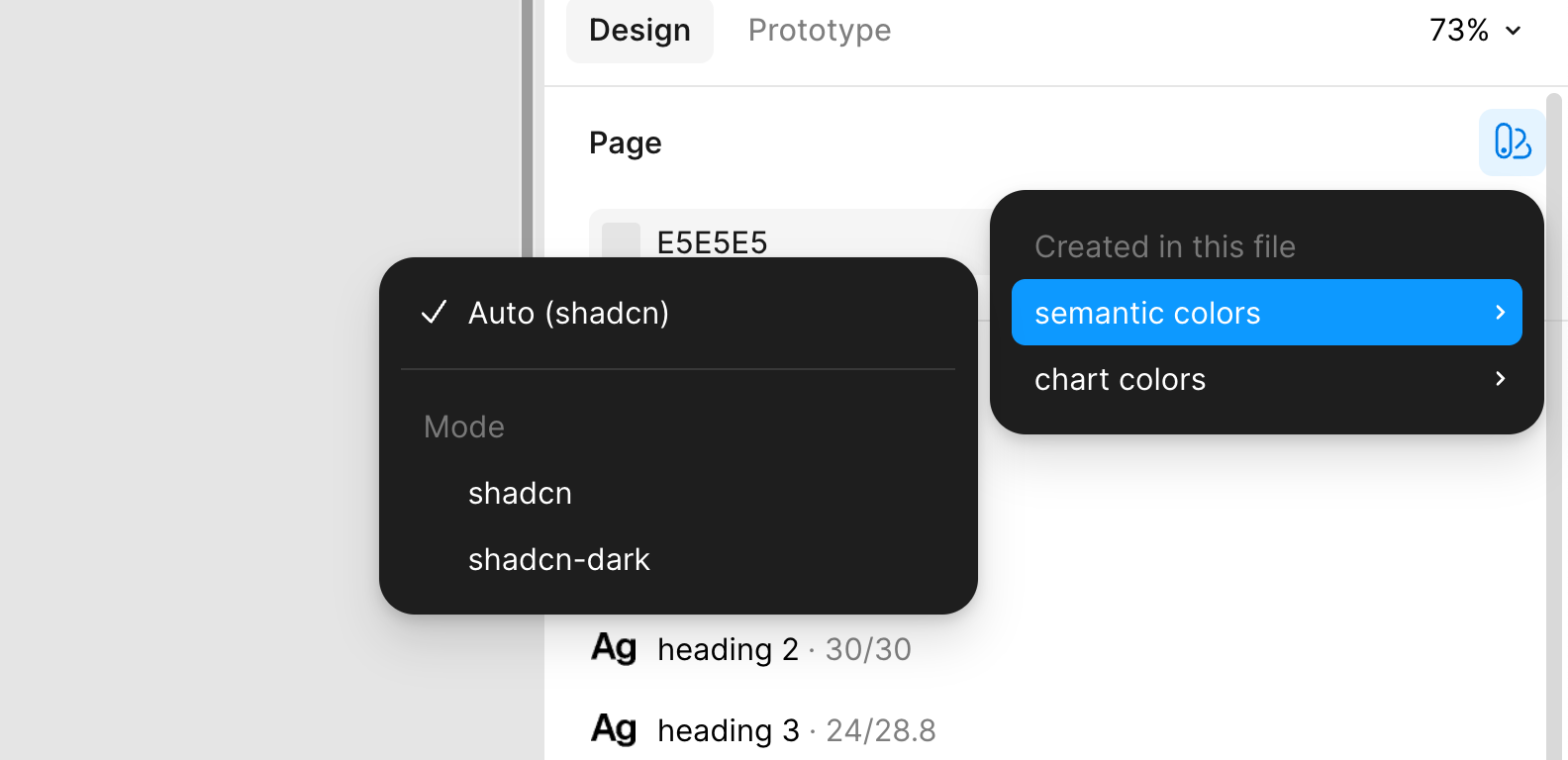
Because the kit uses Figma variable modes for theming, you switch between light (shadcn) and dark (shadcn-dark) by changing the mode — not by editing any colors. You can do this at multiple levels:
Page level — change the variable mode of the current page to flip the whole page between modes.
Frame level — override the mode on an individual frame. This is useful for showing the same design in both themes side by side.
Use the Apply variable mode control in Figma’s right-hand sidebar to do this.
The 'Apply variable mode' control in Figma's right-hand sidebar
For switching modes in bulk across an entire file, the Obra Batch Mode Switcher plugin is helpful — it can flip every frame on a page or in a selection at once.