

Obra shadcn/ui Pro Figma + React
Go from components to complete pages
Everything in the Community kit, plus 100+ Pro Blocks, all 8 shadcn/ui styles, React equivalents and two plugins that connect your designs to code.
One-time purchase with lifetime access and all future updates. View all plans
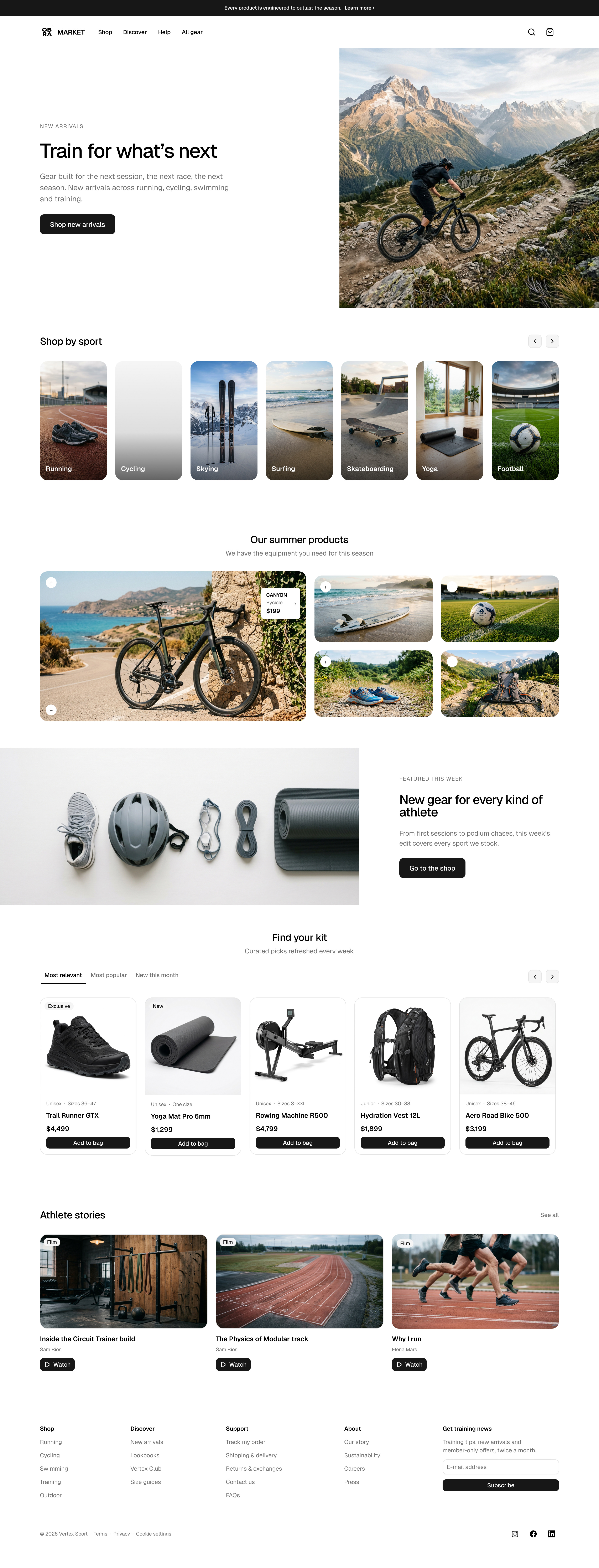
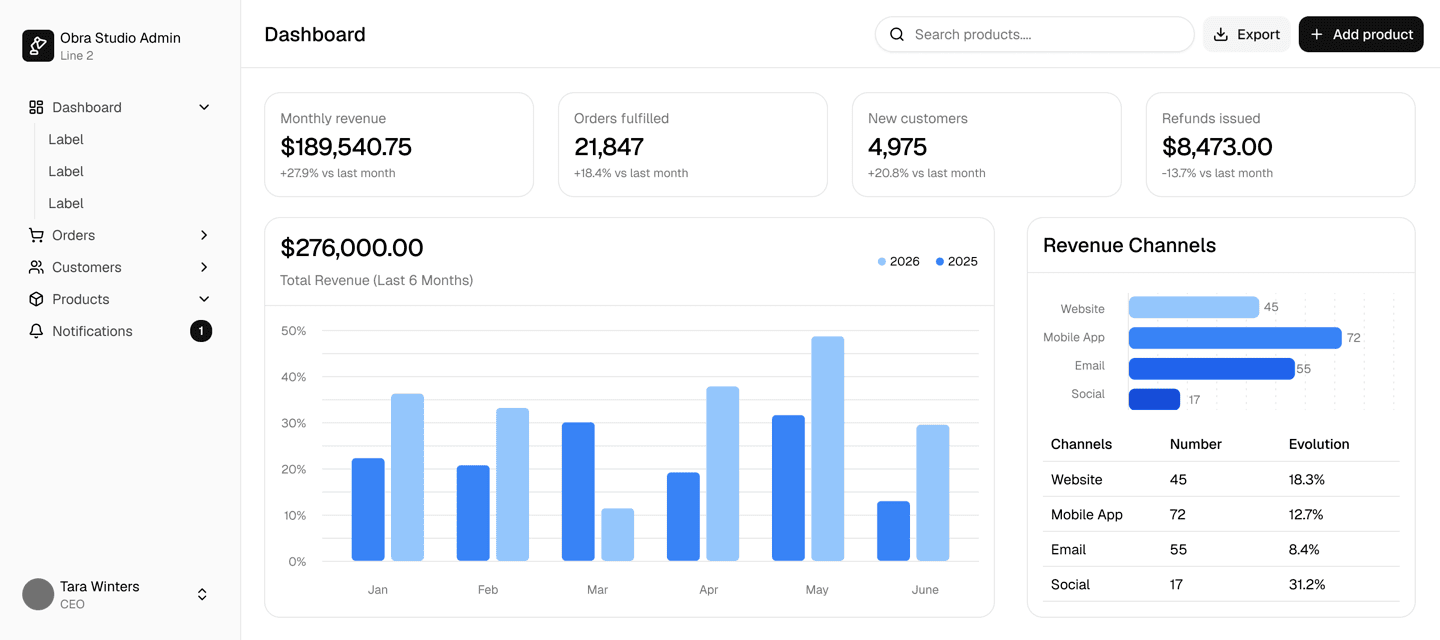
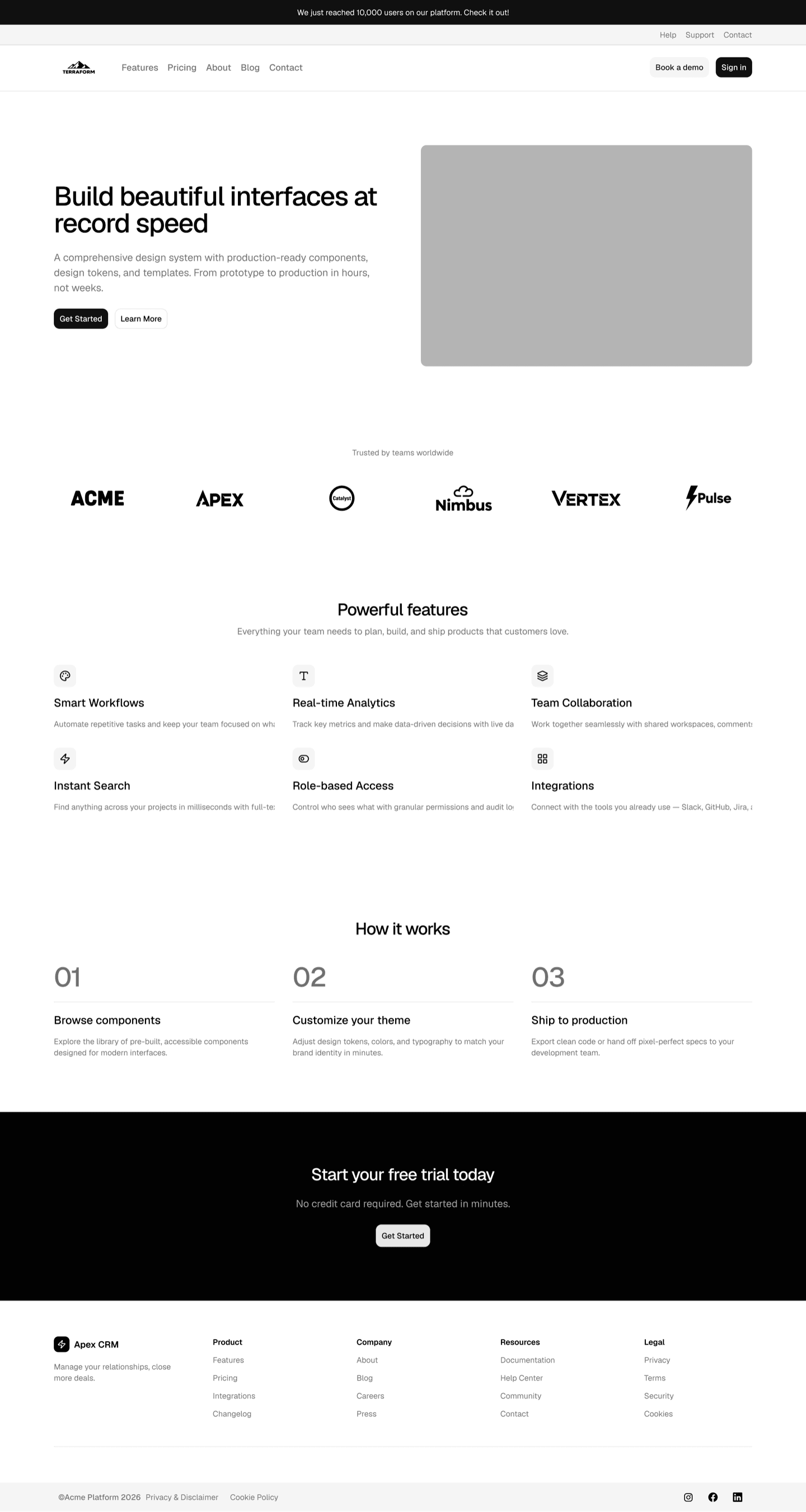
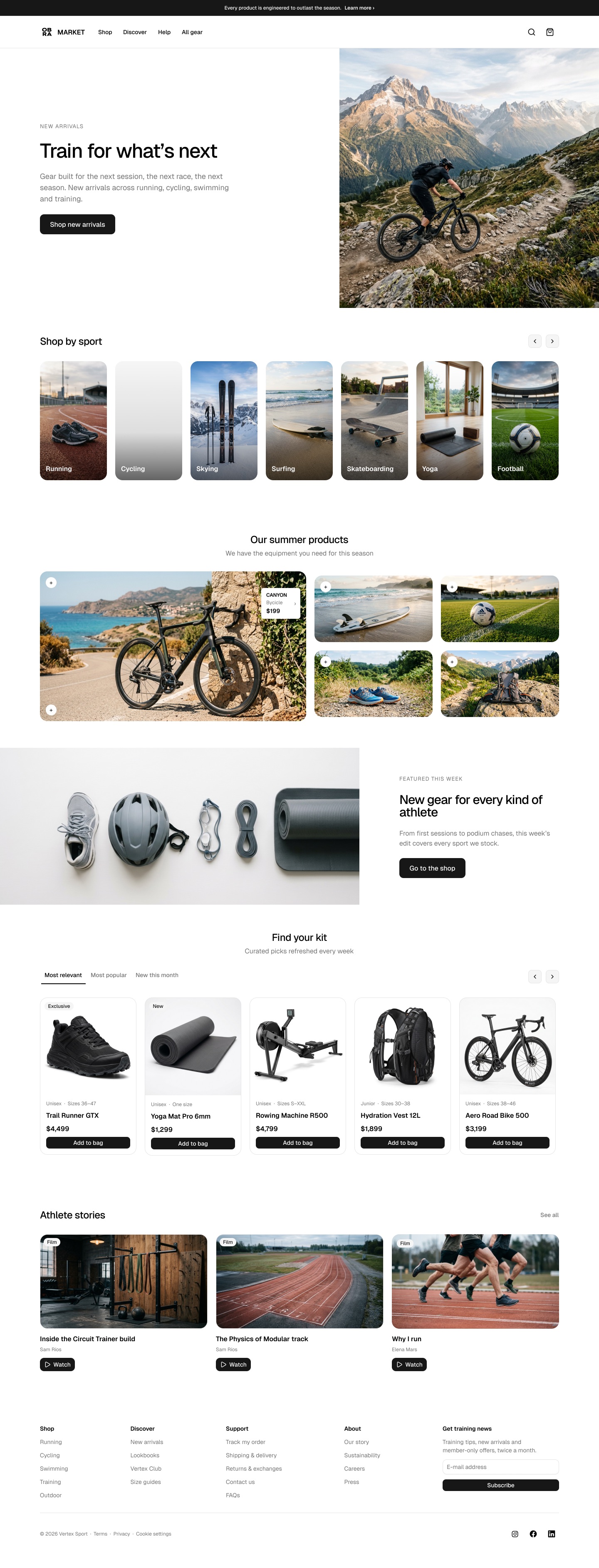
100+ Pro Blocks
Pro blocks in 3 categories: marketing, application UI and e-commerce, built from the kit's own components and variables so they follow your theme.
CSS Export plugin
Export your Figma variables to shadcn/ui-ready CSS and design tokens, including W3C Design Tokens 1.0. Read more.
React Pro Blocks
All Pro Blocks are also available as React code. Buying the Figma kit gives you access to our private shadcn/ui registry. About React Pro Blocks.
All 8 shadcn/ui styles
Community includes Nova; Pro gives you all of them: Nova, Vega, Rhea, Luma, Mira, Lyra, Sera and Maia, each in its own file, in light and dark mode.
All shadcn/ui components
Every shadcn/ui component recreated in Figma, with deep use of component properties and slots — including the newest ones like Message, Questionnaire, Trace and Code Block.
Swap icon sets automatically
Easily switch to other icon sets like Phosphor and Tabler Icons with our shadcn/ui Create plugin.
Included
Pro Blocks in Figma & React
Get your work done faster with Pro Blocks across 3 categories. Here's a preview; the kit includes many more blocks ready to use.
A file meant to be used as a working design library, not a demo
CSS Export plugin
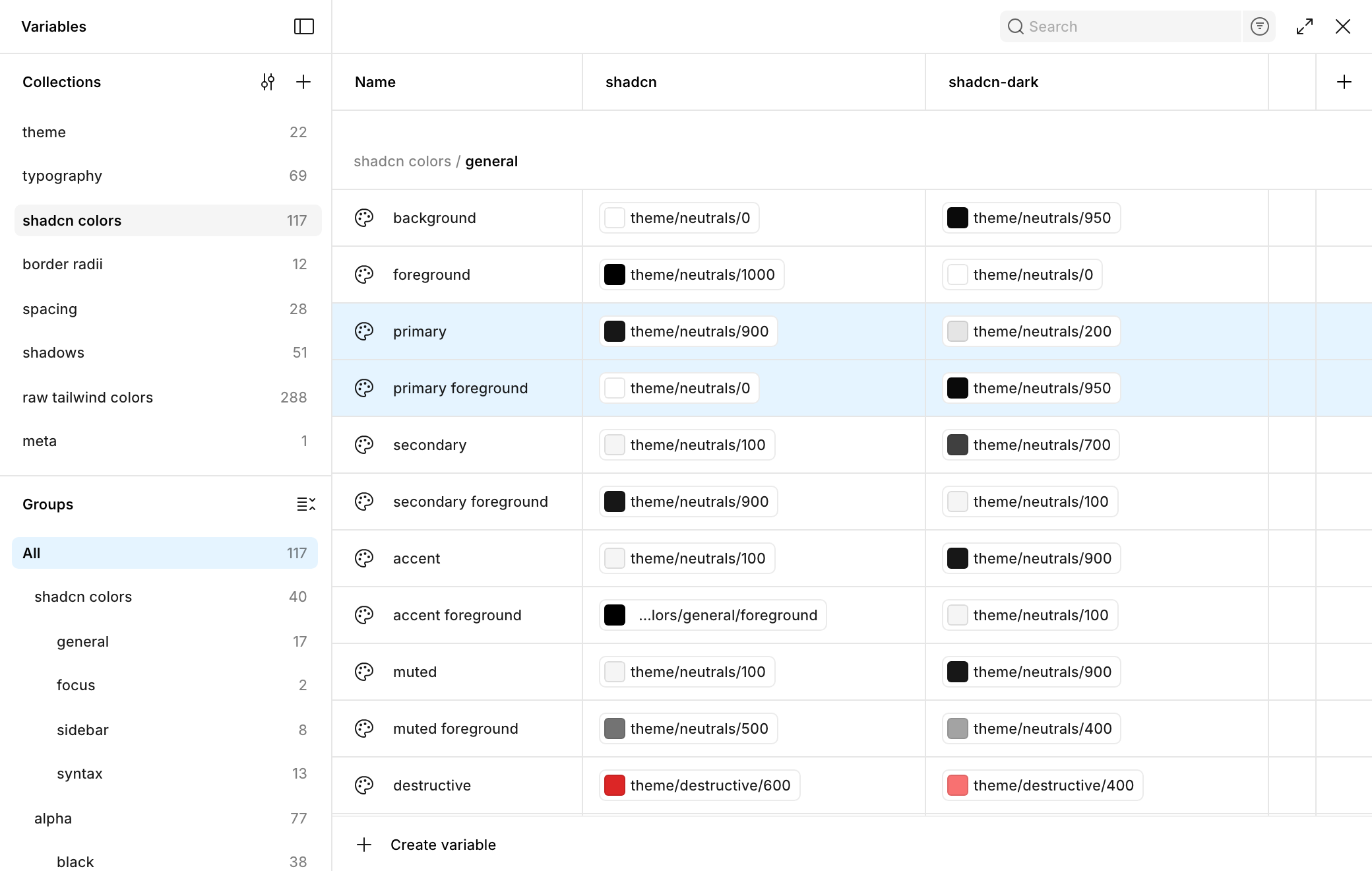
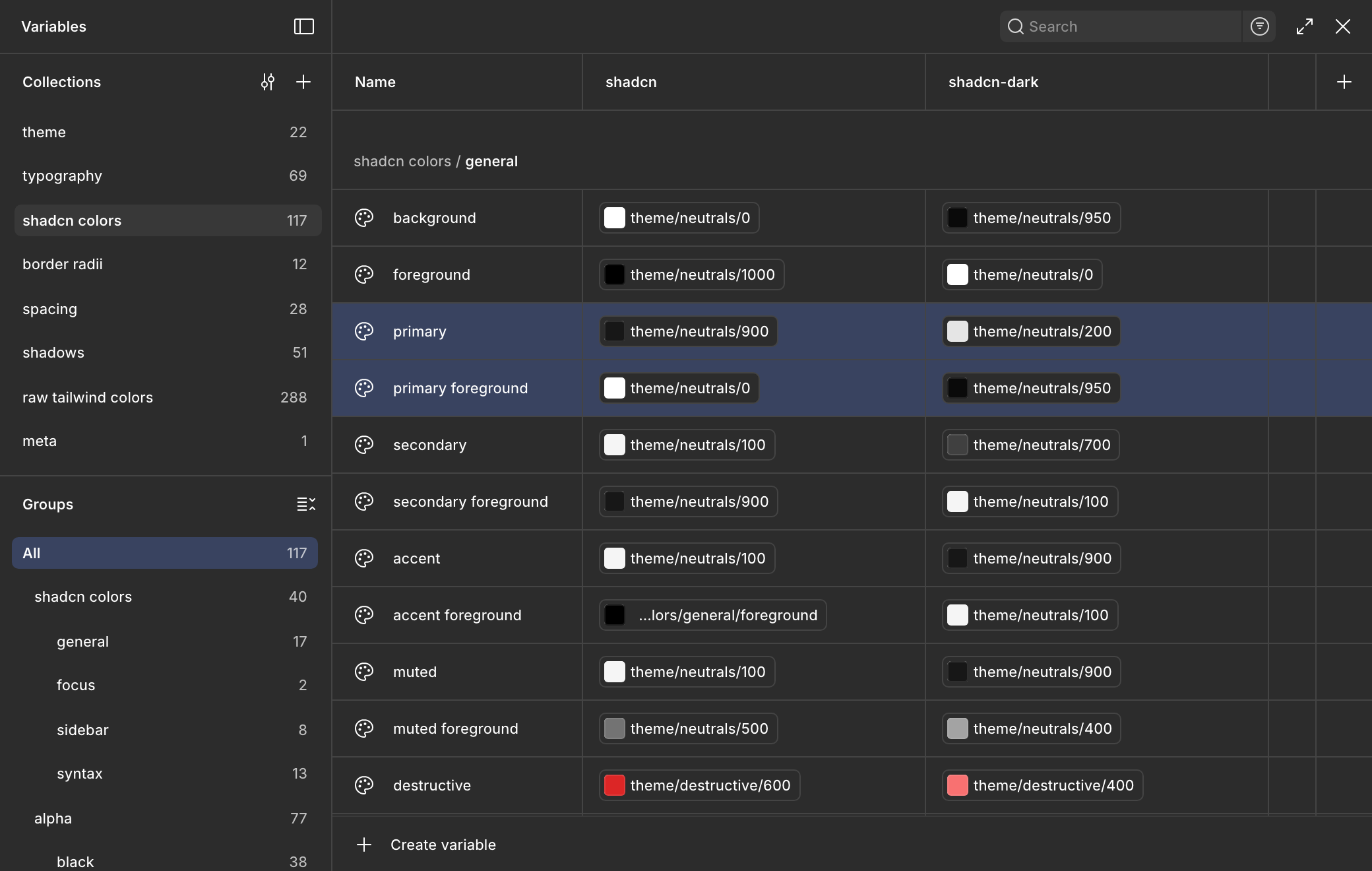
Your Figma theme, straight to code
Turn your Figma variables into a globals.css file that drops straight into your shadcn/ui project. Also exports design tokens as JSON and Style Dictionary.
Included with every Pro license.
 Obra shadcn/ui Pro CSS Export 2.0
 Base shadcn (globals.css)
- shadcn
- shadcn
Obra Extended
- shadcn
Enable the typography collection above to use this option.
@import "tailwindcss";
@import "tw-animate-css";
@import "shadcn/tailwind.css";

@custom-variant dark (&:is(.dark *));

@theme inline {
    --font-heading: Geist, sans-serif;
    --font-sans: Geist, sans-serif;
    --font-mono: "Geist Mono", monospace;
    --color-sidebar-ring: var(--sidebar-ring);
    --color-sidebar-border: var(--sidebar-border);
    --color-sidebar-accent-foreground: var(--sidebar-accent-foreground);
    --color-sidebar-accent: var(--sidebar-accent);
    --color-sidebar-primary-foreground: var(--sidebar-primary-foreground);
    --color-sidebar-primary: var(--sidebar-primary);
    --color-sidebar-foreground: var(--sidebar-foreground);
    --color-sidebar: var(--sidebar);
    --color-ring: var(--ring);
    --color-input: var(--input);
    --color-border: var(--border);
    --color-destructive: var(--destructive);
    --color-accent-foreground: var(--accent-foreground);
    --color-accent: var(--accent);
    --color-muted-foreground: var(--muted-foreground);
    --color-muted: var(--muted);
    --color-secondary-foreground: var(--secondary-foreground);
    --color-secondary: var(--secondary);
    --color-primary-foreground: var(--primary-foreground);
    --color-primary: var(--primary);
    --color-popover-foreground: var(--popover-foreground);
    --color-popover: var(--popover);
    --color-card-foreground: var(--card-foreground);
    --color-card: var(--card);
    --color-foreground: var(--foreground);
    --color-background: var(--background);
    --radius-sm: calc(var(--radius) * 0.6);
    --radius-md: calc(var(--radius) * 0.8);
    --radius-lg: var(--radius);
    --radius-xl: calc(var(--radius) * 1.4);
    --radius-2xl: calc(var(--radius) * 1.8);
    --radius-3xl: calc(var(--radius) * 2.2);
    --radius-4xl: calc(var(--radius) * 2.6);
}

:root {
    --background: oklch(1 0 0);
    --foreground: oklch(0 0 0);
    --card: oklch(1 0 0);
    --card-foreground: oklch(0.145 0 0);
    --popover: oklch(1 0 0);
    --popover-foreground: oklch(0.145 0 0);
    --primary: oklch(0.205 0 0);
    --primary-foreground: oklch(1 0 0);
    --secondary: oklch(0.97 0 0);
    --secondary-foreground: oklch(0.205 0 0);
    --muted: oklch(0.97 0 0);
    --muted-foreground: oklch(0.556 0 0);
    --accent: oklch(0.97 0 0);
    --accent-foreground: oklch(0 0 0);
    --destructive: oklch(0.577 0.215 27.325);
    --border: oklch(0.922 0 0);
    --input: oklch(0.922 0 0);
    --ring: oklch(0.87 0 0);
    --radius: 0.625rem;
    --sidebar: oklch(0.985 0 0);
    --sidebar-foreground: oklch(0.371 0 0);
    --sidebar-primary: oklch(0.371 0 0);
    --sidebar-primary-foreground: oklch(1 0 0);
    --sidebar-accent: oklch(0.97 0 0);
    --sidebar-accent-foreground: oklch(0.205 0 0);
    --sidebar-border: oklch(0.922 0 0);
    --sidebar-ring: oklch(0.87 0 0);
}

.dark {
    --background: oklch(0.145 0 0);
    --foreground: oklch(1 0 0);
    --card: oklch(0.269 0 0);
    --card-foreground: oklch(1 0 0);
    --popover: oklch(0.145 0 0);
    --popover-foreground: oklch(1 0 0);
    --primary: oklch(0.922 0 0);
    --primary-foreground: oklch(0.145 0 0);
    --secondary: oklch(0.371 0 0);
    --secondary-foreground: oklch(0.97 0 0);
    --muted: oklch(0.205 0 0);
    --muted-foreground: oklch(0.715 0 0);
    --accent: oklch(0.205 0 0);
    --accent-foreground: oklch(0.97 0 0);
    --destructive: oklch(0.711 0.166 22.216);
    --border: oklch(0.371 0 0);
    --input: oklch(0.371 0 0);
    --ring: oklch(0.371 0 0);
    --sidebar: oklch(0.145 0 0);
    --sidebar-foreground: oklch(0.87 0 0);
    --sidebar-primary: oklch(0.439 0 0);
    --sidebar-primary-foreground: oklch(0.87 0 0);
    --sidebar-accent: oklch(0.205 0 0);
    --sidebar-accent-foreground: oklch(0.97 0 0);
    --sidebar-border: oklch(0.269 0 0);
    --sidebar-ring: oklch(0.371 0 0);
}

@layer base {
  * {
    @apply border-border outline-ring/50;
    }
  body {
    @apply bg-background text-foreground;
    }
  html {
    @apply font-sans;
    }
}
globals.css or plain CSS
A Tailwind v4 globals.css in the shape shadcn/ui expects. No Tailwind in your project? Switch to Vanilla for plain :root and .dark variables.
Light, dark and your brands
Name a mode shadcn-dark or brand-a-dark and the plugin pairs it into a .dark block. Add a mode per brand and export each one from the same file.
Your own type styles
Add a type style to the typography collection, like overline/font-size, and it exports as a text-overline utility next to text-heading-1.
Font loading code
Generates the Google Fonts links for head.html and the next/font setup for a Next.js layout.tsx.
Tokens for other platforms
Exports the same variables as Design Tokens 1.0 (W3C DTCG) JSON and as Style Dictionary JSON.
All 8 shadcn/ui styles
8 styles, each in its own file: a conscious decision
Many kits put all 8 shadcn/ui styles in one Figma file, as variable modes. It looks great in a demo, but in practice it's slow and a pain to work with: every variable carries 8 values, and you end up with far too many of them. So Obra shadcn/ui Pro gives you a separate file per style. As far as we know, we're the only kit that does this, and we firmly believe in that decision.
Nova
Geist · rounded-lg · compact, classic borders
Vega
Inter · rounded-md · classic shadcn, subtle shadows
Luma
Inter · rounded-4xl · pill everything, filled inputs
Rhea
Inter · rounded-2xl · soft fills, no borders
Maia
Inter · rounded-4xl · spacious pill controls
Mira
Inter · rounded-md · dense, compact controls
Lyra
Inter · rounded-none · sharp, boxy edges
Sera
Inter · borderless underline inputs · uppercase tracked buttons
An Obra Pro file
Publishing it as a library
7 min
Items to publish: variables, styles and components
~5,000
Kits with all 8 styles as modes, in our tests
Publishing it as a library
1 h 20 min
And it wouldn't import until we deleted the extra variable modes.
Items to publish: variables, styles and components
45,000
Only the variables you use
Each file holds one style, so the variables panel shows only that style's values. No scrolling past seven other styles to find the one you want to change.
Tested on a MacBook Pro M1: opening the variables panel in a competitor's file locked up the CPU completely.
No extra layer of variables
Switching styles in one file needs a third layer of variables, like button-bg or button-radius. Without it, you edit the component itself, with the variable names your developers see in code.
Deleting 7 modes doesn't clean it up
With all 8 as modes, your first job is deleting the 7 styles you don't use. Even then, the extra layer of style variables stays: every component is bound to it, so you can't remove it without rebuilding them. With Obra, you open your style and start designing.
Easier for AI agents too
An agent reads a kit's variables, styles and components before it changes them. A ninth of the items means less reading on every task: faster, cheaper in tokens and fewer mistakes.
Nine files, kept in sync by us
More work for us, not for you. Our contribution to the open-source Figma Console MCP edits all 9 files at once, so every fix lands everywhere in one pass.
Community vs Pro
What you get in each edition
| Feature | Community | Pro |
|---|---|---|
| shadcn/ui components released up to June 2026 | Included | Included |
| Components released after June 2026: Attachment, Bubble, Marker, Message, Message Scroller, Questionnaire, Trace and Code Block | Preview only | Included |
| Light mode | Included | Included |
| Dark mode, with multi-brand theming | Not included | Included |
| shadcn/ui styles | Nova | All 8 |
| All Tailwind 4.2 colors and 1800+ Lucide icons | Included | Included |
| Auto layout, variables, component properties and slots throughout | Included | Included |
| All component properties documented with Autodocs | Included | Included |
| Design Pro Blocks for marketing, e-commerce and application | Not included | Included |
| React Pro Blocks, published as a shadcn/ui registry | Not included | Included |
| CSS Export plugin | Not included | Included |
| shadcn/ui Create plugin | Included | Included |
| Icon swap: automatically swap icons to other icon sets with the Create plugin | Not included | Included |
| Price | Free | One-time, from $249 |
FAQ
We're Obra Studio, a design agency. We use this kit in our own client work, so we care a lot about what a Figma design system is like to work in every day. We believe in the quality of our work.
We built it because we couldn't find a kit on the market we actually wanted to work with. Most kits keep adding: more variables, more modes, more layers, more blocks. That makes them heavier and harder to work with, release after release.
We went the other way. One file per shadcn/ui style, a simple color variable structure, and components that make deep use of properties and slots, while still supporting every shadcn/ui feature. Around 100 Pro Blocks we'd happily use in our own projects, rather than hundreds we wouldn't.
Yes. Pro includes every shadcn/ui component, including the ones released after June 2026: Attachment, Bubble, Marker, Message, Message Scroller, Questionnaire, Trace and Code Block. It also includes Obra Custom (OC) components that serve as the basis for the Pro Blocks. The free Community edition has the 57 components up to the June 2026 cutoff.
Yes. Every Pro license includes the React versions of the Pro Blocks (marketing, e-commerce and application), installable through the shadcn CLI from our private registry. See React Pro Blocks and the Pro Blocks developer tutorial. The CSS Export plugin turns your customized variables into shadcn-compatible CSS.
Yes. Figma Make uses shadcn/ui under the hood by default for most UI generation, which means feeding it a customized shadcn library is extra powerful: Make already knows the component API, so once it picks up your tokens, variants, and brand styling, every screen it generates comes out on-brand without extra prompting.
To wire it up: customize the Obra shadcn/ui kit in Figma, publish it as a library, and enable that library inside Figma Make. From then on, Make will read your shadcn/ui customizations — colors, typography, radii, OC components — and use them as the foundation for whatever you generate.
Pro Blocks are complete pages and sections — 50 marketing, 10 application UI and 67 e-commerce blocks — built from the kit's components and variables. Copy one into your design and it picks up your theme, style and mode. Preview the blocks.
You choose the license that matches your Figma plan: Pro for individuals and teams on a Figma Professional plan, Organization for a Figma Organization plan, and Enterprise for a Figma Enterprise plan. Every license is a one-time purchase with lifetime access and all future updates. See pricing.
Community is the Nova style in light mode. Pro gives you all 8 shadcn/ui styles — Nova, Vega, Luma, Rhea, Sera, Lyra, Mira and Maia — each in its own Figma file, in light and dark mode.
If you're new to Figma, the shadcn/ui kit is a great example of a well-structured kit that you can use to learn from.
Kickstart your brand's design system in hours, not weeks
All 8 shadcn/ui styles, 100+ Pro Blocks in Figma and React, and the CSS Export and Create plugins. One-time purchase, lifetime updates.
Get Figma Pro + React