

CSS Export: now with as many chart colors as you need

November 27th, 2026
You've made the Obra shadcn/ui kit your own in Figma. The CSS Export plugin turns that theme into a globals.css for your shadcn/ui project. New in 3.1.0: you're no longer limited to five chart colors.
What CSS Export does#
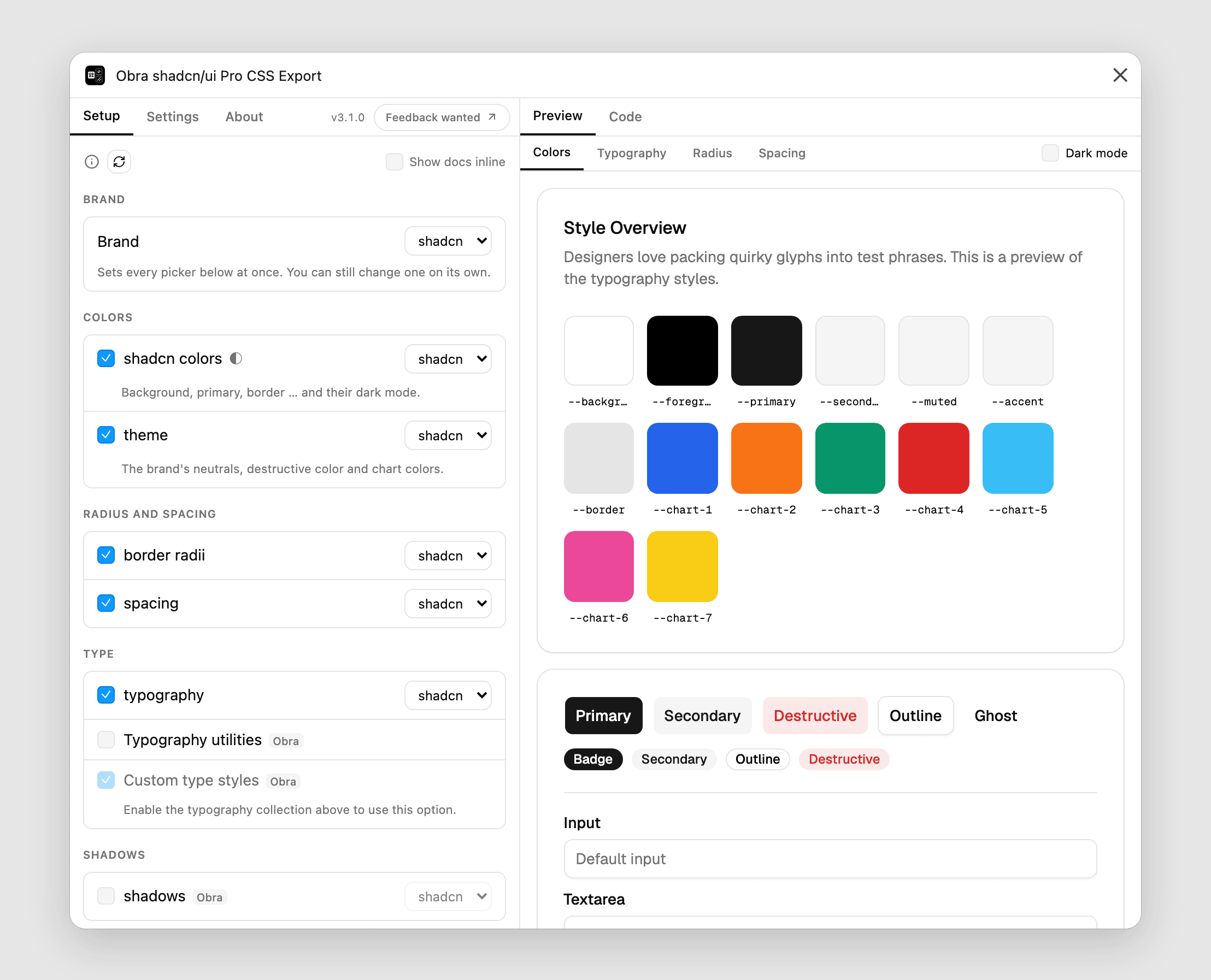
CSS Export is a Figma plugin for the Obra shadcn/ui Pro kit. Customize the kit’s colors, fonts and radius in Figma, run the plugin, and you get a globals.css that drops straight into a shadcn/ui project. Designers and developers work from the same theme, and nobody copies hex values by hand.
As many chart colors as you need#
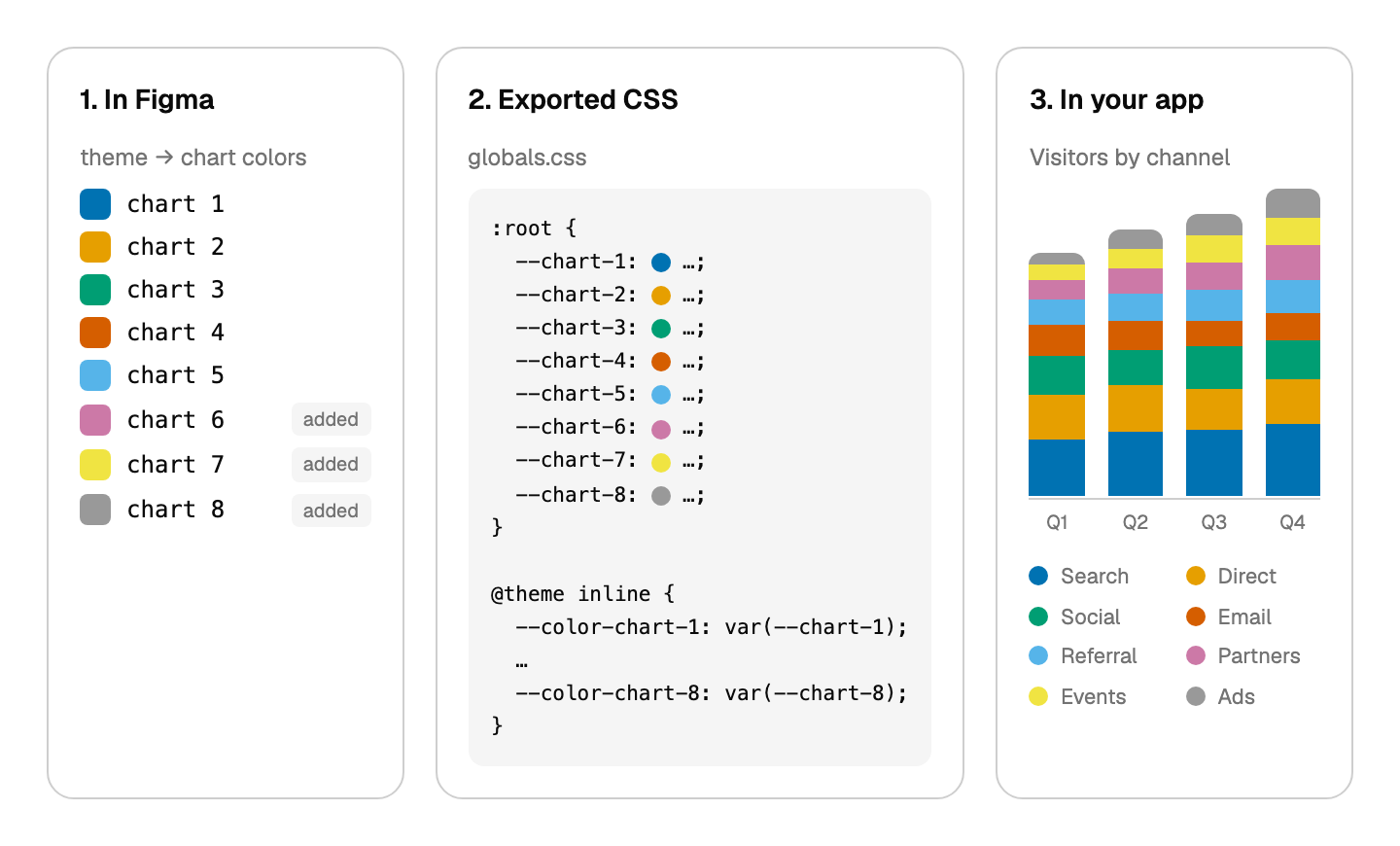
shadcn/ui comes with five chart colors. A dashboard that splits traffic over eight channels needs eight. Add chart 6, chart 7 and chart 8 in Figma, and they reliably end up in your CSS export, ready for your charts.
Working with multi brand? Each brand can have its own chart colors. Pick the brand in the plugin’s new Brand picker, and its whole theme comes along, chart colors included. The chart colors per brand tutorial shows how.
A note on categorical colors#
shadcn/ui’s default chart colors are shades of one hue. We understand why: it makes for prettier screenshots. From a data visualization standpoint we don’t fully agree. When each color stands for a category, like a channel or a product, readers need to tell them apart at a glance, so we prefer clearly different hues. That’s what the example above uses, and with CSS Export you can set them up that way in Figma.
How to get it#
CSS Export is included in the Organization and Enterprise licenses of Obra shadcn/ui Pro. Already a customer? Run the plugin again and you’re on 3.1.0. The documentation has the details.
See the plans