

2.3.0 released — the e-commerce release

October 5th, 2026
Today we released 2.3.0, which we’re dubbing the e-commerce release.
We’ve redesigned our e-commerce Pro Blocks. We went through every block we had in the kit and improved them in many ways, while adding a bunch of new ones, more than doubling the count. This release brings the e-commerce block count from 26 to 67.
You can use the e-commerce blocks as a base to build e-commerce experiences with shadcn. Just like all other blocks, they adapt to your design system.
Alongside the redesigned home, product list, product detail, cart, checkout and order confirmation blocks, there’s a whole set of new ones. There are coupon designs for discount codes, gallery modals for browsing product photos, offer modals, promo banners and bars, product cards and much more.
All blocks come in both a desktop and a mobile version.
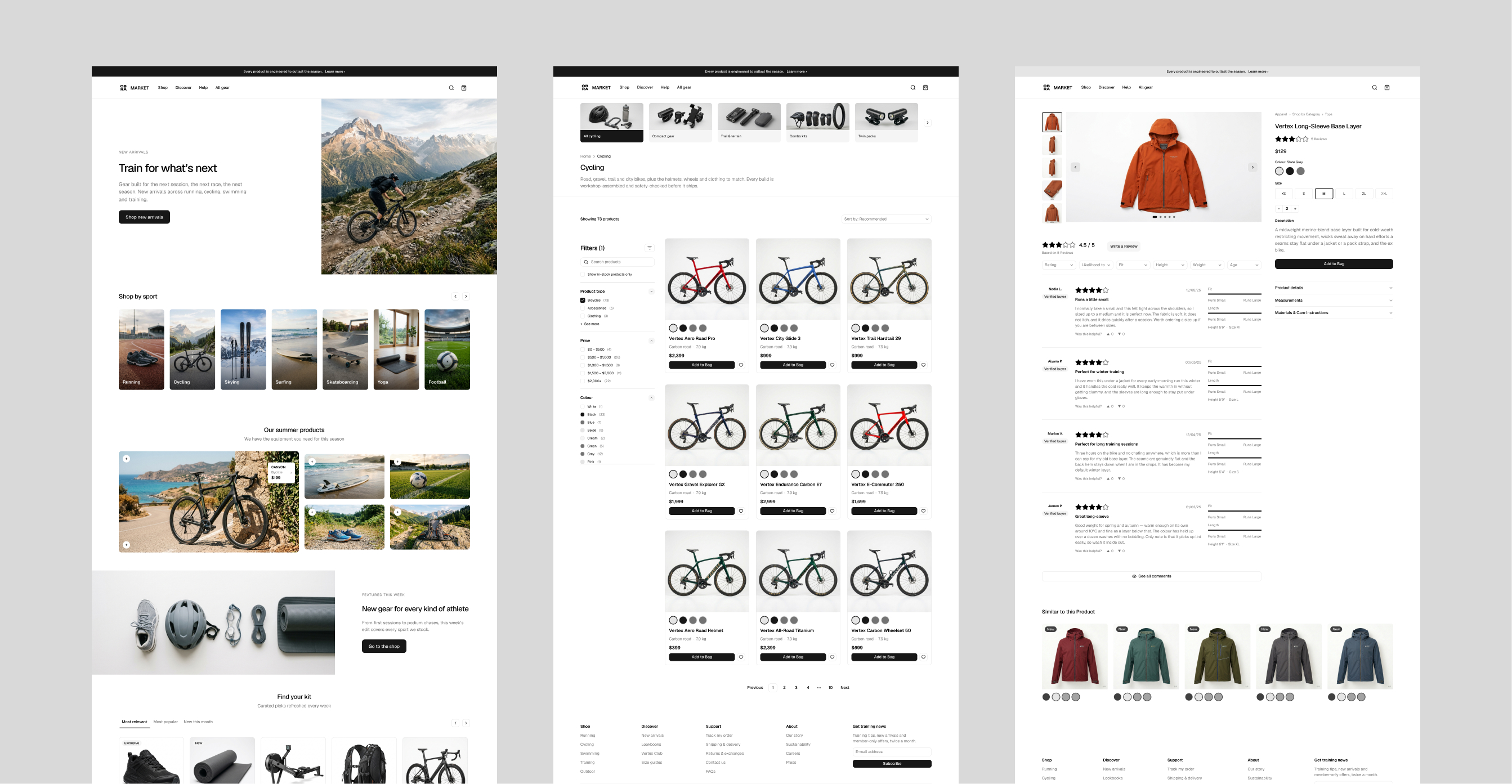
For the full list of changes, see the changelog.
Using the e-commerce blocks in React#
The e-commerce blocks are also in the React Pro Blocks registry: 63 blocks, from headers and heroes to product grids, product detail, cart, checkout and order confirmation. They install the same way as the Marketing and Application blocks.
If you haven’t set up the registry yet, follow the setup guide. It takes a few minutes: add the @obra registry to your components.json and put your OBRA_TOKEN in .env.local.
Then add any block with the shadcn/ui CLI:
npx shadcn@latest add @obra/product-detail-01
npx shadcn@latest add @obra/cart-01
npx shadcn@latest add @obra/checkout-01
The CLI writes the block to your project and installs any shadcn/ui components it needs. Drop it into a page:
import { ProductDetail01 } from "@/components/blocks/product-detail-01"

export default function Page() {
  return <ProductDetail01 />
}
Like all Pro Blocks, the e-commerce blocks use shadcn/ui tokens, so they pick up your theme automatically. You can preview every block in any shadcn/ui style on the registry.
How do I get 2.3.0?#
Log in to the downloads center with your license key. The link is in your purchase email. Pick 2.3.0 from the releases dropdown. Every customer has access to all releases published since they bought the kit.